

Blog
Digital Kiosk Solutions for Modern Businesses

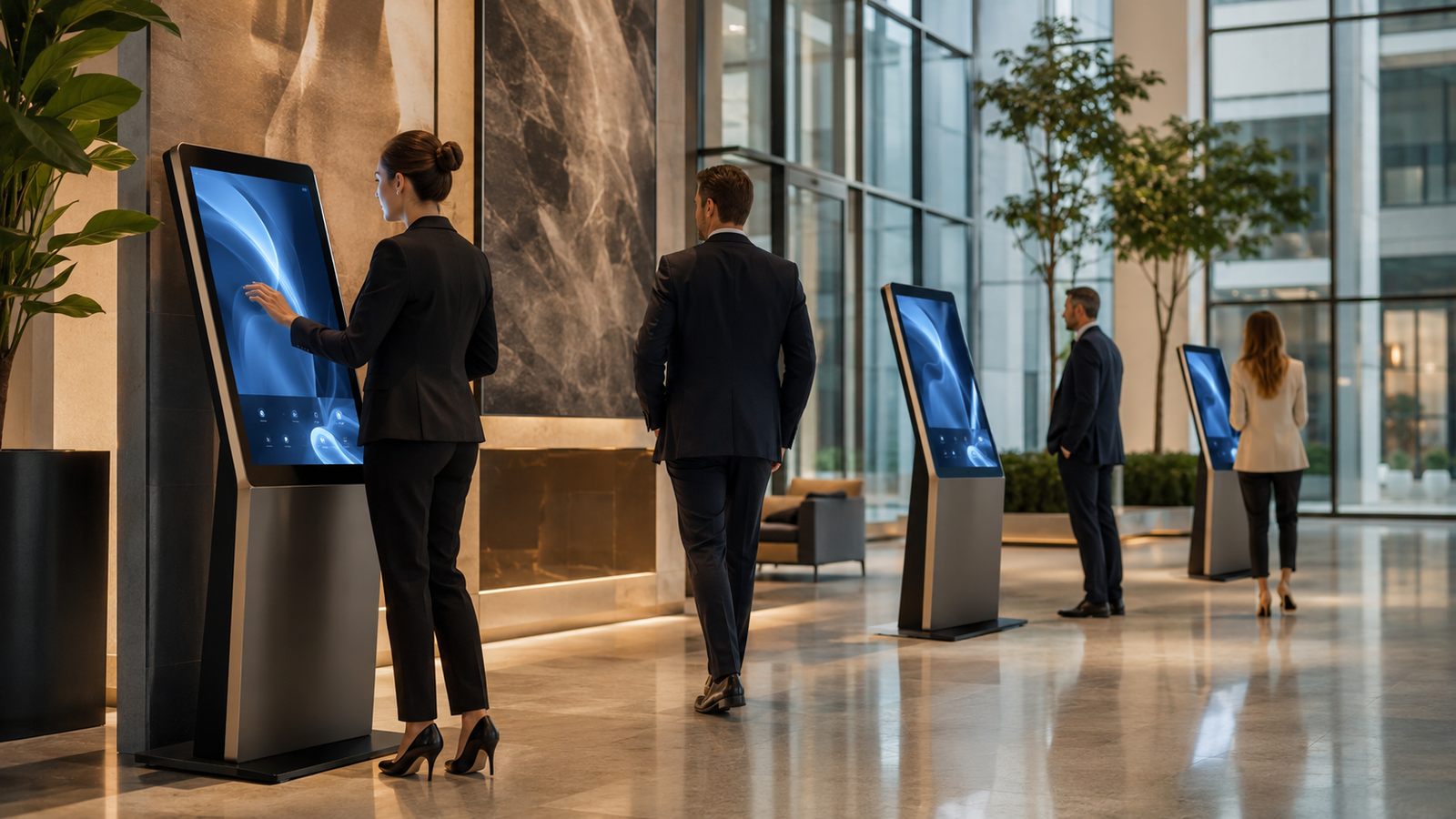
However, a successful kiosk is not simply a screen placed inside a metal cabinet. The enclosure, display position, ventilation, cable routing, access panels, stability, branding and installation location must work together. For B2B projects, every kiosk should be planned around the user journey as well as the technical equipment housed inside it.
What Is a Digital Kiosk?
A digital kiosk is a freestanding, wall-mounted or counter-mounted unit that holds a display and related electronic components. Depending on the project, it may be used to show information, provide wayfinding, collect enquiries, display a product catalogue, manage tokens or support another self-service application.
The physical kiosk normally includes:
- A fabricated metal enclosure
- A touchscreen or non-touch display
- Internal mounting provisions
- Ventilation openings
- Power and cable-management paths
- Service or maintenance access
- A stable base or wall-mounting system
- Branding and finish
Software, computer hardware, printers, scanners, payment devices or other peripherals can be considered according to the intended function and project scope.
Common Types of Digital Kiosk Solutions
1. Information kiosks
Information kiosks help visitors access directories, services, product details, schedules, maps or frequently requested information. They are useful in large offices, campuses, hospitals, malls and exhibitions.
2. Reception and visitor kiosks
These kiosks can support check-in, enquiry collection, visitor guidance or appointment-related workflows. Their design should be easy to understand and positioned where users can identify them immediately.
3. Product catalogue kiosks
Retailers, furniture showrooms and B2B suppliers can use catalogue kiosks to present a wider product range than can be displayed physically. The enclosure should match the store environment and provide a comfortable viewing angle.
4. Token and queue-management kiosks
Hospitals, service centres and public facilities may use kiosks to support queue or token systems. These projects may require printer openings, maintenance doors and secure internal mounting for devices.
5. Interactive branding kiosks
Interactive kiosks can be used at exhibitions, experience centres, corporate lobbies and product launches. Their shape, colour and finish can be customised to reflect the brand.
6. Outdoor or semi-outdoor kiosks
Kiosks installed near entrances, transit areas or semi-open spaces require additional planning for weather exposure, heat, dust, stability and security. Material and equipment specifications should be selected for the actual site conditions.
Start with the User Journey
Before designing the enclosure, define what the user needs to do. The process should be simple, visible and comfortable.
Ask these questions:
- Who will use the kiosk?
- What is the main action they must complete?
- Will the display be touch-enabled?
- How long will a typical interaction take?
- Will users stand, sit or use a wheelchair?
- Are printers, scanners, cameras or card readers required?
- Will staff need frequent access for paper replacement or maintenance?
The answers affect screen height, angle, cut-outs, internal layout and door placement.
Select the Right Kiosk Format
Freestanding kiosks
Freestanding units provide strong visibility and can house larger equipment. Their base must be stable and suited to the floor condition. They are commonly used in lobbies, retail spaces, hospitals and exhibitions.
Wall-mounted kiosks
Wall-mounted units save floor space and may be useful in corridors or smaller reception areas. Installation must consider wall strength, service access and cable routing.
Countertop kiosks
Countertop designs are compact and suitable when the kiosk works together with an existing reception or service counter.
Custom-integrated kiosks
A kiosk can also be integrated into a reception desk, display wall or furniture system. This approach creates a cleaner visual result but requires early coordination between furniture, electrical and technology teams.
Plan the Enclosure Around the Equipment
The fabricated body should be designed after confirming the exact equipment model or technical envelope. Screen size alone is not enough. The design should allow for bezels, mounting brackets, computer units, adapters, power supplies, ventilation and maintenance access.
Important information includes:
- Display dimensions and weight
- Mounting pattern and orientation
- Touchscreen requirements
- Computer or media-player dimensions
- Printer, scanner or reader specifications
- Power-supply position
- Cable entry and exit points
- Required ventilation clearance
Providing equipment drawings or physical samples can reduce errors during fabrication.
Choose the Appropriate Material
Mild steel is commonly used for kiosk enclosures because it offers strength, design flexibility and suitability for powder-coated finishes. Stainless steel or aluminium may be considered depending on appearance, environment, weight and corrosion-resistance requirements.
The Kalina provides sheet and pipe metal fabrication for custom enclosures, frames, panels and project-based assemblies. Material thickness and internal supports should be selected according to kiosk size, equipment weight, transport and installation conditions.
Ventilation and Heat Management
Displays, computers and power supplies generate heat. Poor ventilation can affect equipment reliability and make maintenance more difficult. The enclosure may require:
- Vent slots or perforated panels
- Fan mounting provisions
- Air intake and exhaust paths
- Separation between heat-generating components
- Dust-filter access where appropriate
Vent openings should be positioned without exposing sensitive components unnecessarily or reducing the clean appearance of the kiosk.
Cable Management and Electrical Access
Loose cables create maintenance and safety problems. A planned cable route keeps wiring protected and makes future servicing easier.
The kiosk design should define:
- Main power entry
- Internal socket or power-distribution location
- Data and network cable routing
- Cable clamps or channels
- Separation of power and signal cables where required
- Access for authorised maintenance staff
Electrical work and final connections should be completed by qualified professionals according to the project requirements.
Maintenance Access and Security
A kiosk will need periodic cleaning, inspection and equipment servicing. Maintenance doors should provide access to important components without requiring the full enclosure to be dismantled.
Consider:
- Lockable rear or side access doors
- Removable internal mounting plates
- Easy replacement of printers or consumables
- Hidden hinges and neat external finishing
- Secure mounting for electronic equipment
- Protection against unauthorised access
Branding and Surface Finish
A digital kiosk is often positioned in a high-visibility area, so its appearance should support the surrounding interior and brand identity. Powder coating, colour matching, vinyl graphics, cut logos and printed branding can be considered.
For multi-location projects, prepare a standard branding guide that defines:
- Approved colour codes
- Logo size and position
- Screen surround design
- Instruction-label placement
- Finish texture
- Asset files and print specifications
Standardisation helps maintain consistency when kiosks are produced in batches.
Prototype Before Bulk Production
A prototype is especially valuable for kiosk projects because it allows technical and operational teams to test the complete unit before mass production.
The prototype review should confirm:
- Screen height and viewing angle
- Touch comfort and accessibility
- Equipment fit
- Ventilation and heat performance
- Door and lock operation
- Stability and base design
- Cable routing
- Brand colour and finish
- Packing and transportation method
Changes should be documented and incorporated into the final production drawing.
Plan Installation Before Dispatch
Site readiness affects kiosk deployment. Before dispatch, confirm:
- Final installation position
- Floor or wall-mounting condition
- Availability of power and network points
- Door, lift and corridor clearances
- Anchoring requirements
- Protection during transport
- Who will install and test the electronic equipment
For kiosks deployed across several locations, use a standard site-readiness checklist and installation manual.
B2B Kiosk Project Checklist
- Define the kiosk purpose and user journey.
- Confirm all electronic equipment and peripherals.
- Select freestanding, wall-mounted or countertop format.
- Prepare dimensions and internal mounting requirements.
- Choose material, thickness and finish.
- Plan ventilation, wiring and service access.
- Approve drawings and a working prototype.
- Confirm branding and bulk-production standards.
- Verify site readiness and installation method.
- Complete final inspection before dispatch.
Why Work with a Custom Fabrication Partner?
Off-the-shelf kiosk bodies may not match the selected display, equipment or brand requirement. Custom fabrication allows the enclosure to be developed around the exact project specification.
A fabrication partner can support:
- Design development from drawings or concepts
- Custom sheet-metal enclosures
- Internal frames and mounting plates
- Cut-outs for screens and peripherals
- Welding, assembly and finishing
- Prototype and bulk production
The Kalina has also completed project-based kiosk fabrication, including ATM kiosk enclosures produced from mild-steel sheet metal. You can view the ATM kiosk fabrication case study for an example of a customised enclosure project.
Frequently Asked Questions
Can a digital kiosk enclosure be customised for any screen size?
Yes, the enclosure can be developed around the selected display, provided the exact dimensions, weight, mounting details and ventilation requirements are available.
Can printers, scanners or card readers be added?
Cut-outs and internal mounting provisions can be included when the equipment model and technical specifications are confirmed before fabrication.
Which material is suitable for a kiosk?
Mild steel is commonly used, while stainless steel or aluminium may be considered for specific appearance, environmental or weight requirements.
Is a prototype necessary?
A prototype is strongly recommended for customised or bulk projects because it allows the buyer to test ergonomics, equipment fit, maintenance access, stability and finish.
Planning a Custom Digital Kiosk?
Share your display size, equipment list, reference design, branding requirements, quantity and installation location with The Kalina. Our team can support the enclosure design, metal fabrication, finishing and bulk production requirements for your project.